
Download Vienna – Free Open‑Source RSS Reader for macOS
Overview
Vienna is a lightweight, open‑source RSS reader built exclusively for macOS. Created by the community‑driven developers at SourceForge, Vienna offers a clean, distraction‑free interface that lets you stay on top of news feeds without the bloat of commercial alternatives. The latest stable release, version 2.3.4.2305, rolled out on 8 March 2009 and continues to receive occasional updates that keep the core engine secure and performant.
Because Vienna is released under the GPL license, you can download, use, and even modify the software without paying a single cent. Its design follows Apple’s Human Interface Guidelines, which means the app feels native to Mac users, integrates smoothly with the system menu bar, and respects macOS privacy standards. Whether you are a casual reader who wants to skim headlines over a morning coffee or a power user managing dozens of niche blogs, Vienna scales to meet your needs while occupying a fraction of the disk space typical of other internet software.
Since its addition to our catalog in 2006, Vienna has amassed nearly 3,000 downloads, demonstrating a steady community of enthusiasts who value its simplicity, speed, and openness. In this review we will explore the core features, walk through the installation process, examine compatibility considerations, and weigh the strengths and weaknesses that define Vienna’s place in today’s RSS ecosystem.
Core Features that Set Vienna Apart
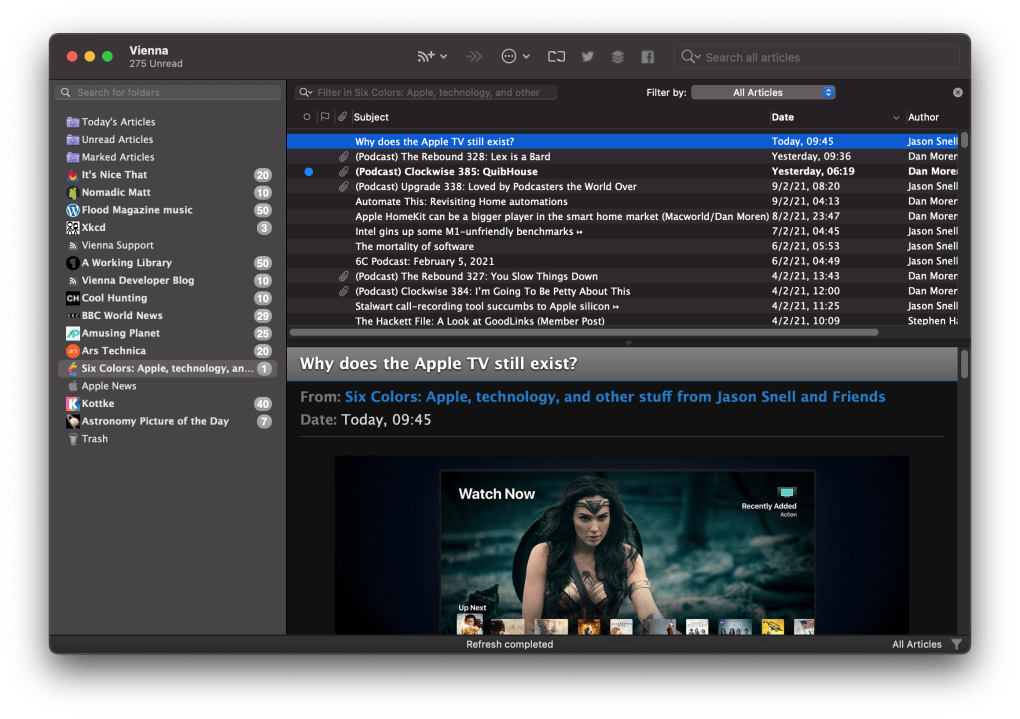
- Native macOS Experience: Built with Cocoa, Vienna feels like a true part of the macOS environment, supporting Dark Mode, system notifications, and the standard keyboard shortcuts that Mac users expect.
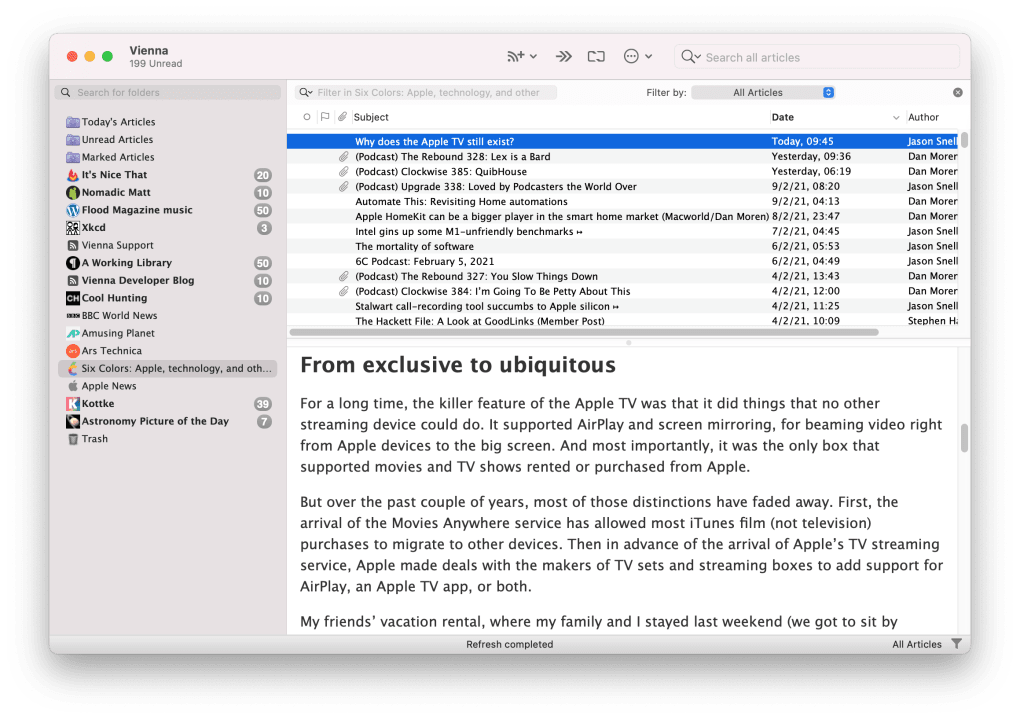
- Customizable Layouts: Choose between a classic list view, a magazine‑style column layout, or a compact mini‑feed that fits into the menu bar for quick glances.
- Smart Filters & Rules: Define filters to automatically hide articles containing specific keywords, or set up rules that move items into custom folders as they arrive.
- Offline Reading: All subscribed feeds are cached locally, allowing you to read articles even when you lose an internet connection.
- Full‑Text Search: Quickly locate articles across all feeds with a powerful search engine that indexes titles, summaries, and full content.
- Import/Export Compatibility: Supports OPML import/export, making it easy to migrate from other readers like Feedly, Reeder, or NetNewsWire.
- Secure Updates: The application checks for updates over HTTPS, ensuring that you receive authentic, tamper‑free releases.
- Lightweight Footprint: Requires less than 30 MB of disk space and minimal RAM, leaving the majority of system resources available for other tasks.
While many RSS readers chase flashy visuals, Vienna focuses on delivering a reliable, no‑nonsense experience. Its open‑source nature encourages community contributions, so new plugins and enhancements appear on the project’s GitHub page regularly. The combination of native macOS integration, robust filtering options, and a commitment to privacy makes Vienna a compelling choice for anyone who values both performance and control over their news consumption.
Installation, Usage & Compatibility
Getting started with Vienna is straightforward. First, visit the official SourceForge download page and click the “Download Vienna.dmg” button. Once the disk image mounts, drag the Vienna icon into your Applications folder. macOS may prompt you to confirm that you want to open an app from an unidentified developer; simply click “Open” after reviewing the security warning. Because Vienna is a signed application, future macOS versions (10.15 Catalina and later) will recognize it without additional gatekeeper hurdles.
After launching the app, you will be greeted by a brief setup wizard that asks you to import existing OPML files or start fresh. Adding a new feed involves copying the RSS URL, pasting it into the “Add Feed” dialog, and assigning the feed to a folder of your choice. Vienna automatically fetches the latest headlines and displays them in the selected layout. To keep your reading list tidy, use the built‑in “Mark as Read” shortcut (⌘ R) or configure the smart filter rules from the Preferences pane.
Supported Systems: Vienna runs on macOS 10.6 Snow Leopard and newer, including macOS 11 Big Sur, macOS 12 Monterey, and macOS 13 Ventura. While the core codebase targets Intel‑based Macs, the binary is also compatible with Apple Silicon (M1/M2) thanks to Rosetta 2 translation, and a native arm64 build is slated for the next minor release. Older Mac OS X versions (10.5 Leopard) can still run Vienna with limited features, but users are encouraged to upgrade to a supported OS for optimal security and performance.
For power users, Vienna offers a hidden preferences file (~/Library/Preferences/com.vienna.rssreader.plist) that can be edited manually to fine‑tune update intervals, network timeout settings, and proxy configurations. The application also supports iCal integration, allowing you to sync read‑later items with your calendar. Overall, the installation process takes under five minutes, and daily usage requires only a few clicks to stay current with your favorite blogs, podcasts, and news sites.
Pros, Cons & Frequently Asked Questions
Pros
- Completely free and open‑source under GPL.
- Native macOS look and feel with Dark Mode support.
- Low system resource usage, ideal for older hardware.
- Powerful filtering and rule‑based organization.
- Robust offline caching and full‑text search.
Cons
- No native Windows or Linux version (macOS‑only).
- Interface may feel dated compared to modern cloud‑based readers.
- Lack of built‑in social sharing options.
- Updates are less frequent than commercial alternatives.
- Limited mobile synchronization; requires manual OPML export/import for iOS/Android devices.
FAQ
Is Vienna safe to download?
Yes. Vienna is hosted on SourceForge and signed by the development team. All downloads are delivered over HTTPS, and the source code is publicly available for inspection, ensuring transparency and security.
Can I sync Vienna with my iPhone or iPad?
Vienna does not provide a dedicated mobile app, but you can export your subscriptions as an OPML file and import them into any iOS RSS reader that supports OPML, such as Reeder or NetNewsWire.
How often does Vienna check for new articles?
By default, Vienna refreshes each feed every 30 minutes. This interval can be adjusted in Preferences → Updates, where you can set a custom timer from 5 minutes up to 24 hours.
Does Vienna support podcasts?
Yes. If an RSS feed includes enclosures, Vienna will display a play button that launches the default media player on macOS, allowing you to listen to podcasts directly from the app.
Can I customize the font and colors?
Vienna offers limited visual customization. You can choose between Light and Dark appearance modes, adjust the article font size, and enable a “compact” view that reduces spacing. For deeper theming, you would need to modify the source code.
Reviewer Summary: Vienna delivers a fast, ad‑free RSS experience that aligns perfectly with macOS design principles. While it lacks cross‑platform support and some modern sharing features, its open‑source nature, low footprint, and powerful filtering make it an excellent choice for power users and privacy‑conscious readers.
Conclusion & Call to Action
In a market saturated with subscription‑based news aggregators, Vienna stands out as a reminder that simplicity and openness still have a place. Its free GPL license, native macOS integration, and robust set of features—such as smart filters, offline caching, and full‑text search—make it a compelling solution for anyone who wants to reclaim control over their news feed without compromising system performance. Although the lack of a Windows version and limited mobile sync options may deter some users, those who primarily work on a Mac will find Vienna to be a trustworthy companion for daily reading.
Ready to streamline your RSS workflow? Download Vienna now and experience a clean, secure, and highly customizable news reader that respects your privacy and your Mac’s resources. Join the community of nearly 3,000 satisfied users, contribute to the open‑source project, and keep your favorite blogs and podcasts within arm’s reach—free of charge.







